GTA 6 Storage Size and 5 Ways to Get Your PS5 or Xbox Ready
Say your grandson is home from college for Thanksgiving, and all he can talk about is GTA 6. You go to download it on the family PS5, and the console says there isn’t enough space. So what is the GTA 6 storage size, and how do you make room in time?
Grand Theft Auto VI needs up to 212 GB on a PS5 or Xbox Series X or S. The game comes out November 19, 2026. Tech 4 Life has helped homes around Carefree, Cave Creek and Scottsdale with their technology for over 20 years. Below, we cover the space GTA 6 needs, how to free up room and how to speed up downloads. We also cover keeping the console cool.
What is the GTA 6 storage size on PS5 and Xbox?
The GTA 6 storage size is up to 212 GB on PS5 and Xbox Series X and S. In Rockstar’s words, the game “will require up to 212 GB of available space depending on your device.”
How much room you have depends on the model. The table below uses the built-in storage each maker lists. Sony notes that part of the drive is reserved for system software. So the free space is always a bit less.
| Console | Built-in storage | Ways to add game space |
|---|---|---|
| PS5 (current model) | 1 TB | M.2 SSD slot, or a USB drive for storage only |
| PS5 Digital Edition | 825 GB | M.2 SSD slot, or a USB drive for storage only |
| Xbox Series X | 1 TB, or 2 TB on one special edition | Storage Expansion Card, or a USB drive for storage only |
| Xbox Series S | 512 GB or 1 TB | Storage Expansion Card, or a USB drive for storage only |
On a 512 GB Xbox Series S, GTA 6 alone takes up more than 40% of the drive. Storage figures come from Sony’s PS5 page and Xbox’s Series X and Series S spec pages.
How do you make room for GTA 6 on a PS5 or Xbox?
Delete or move games you’re not playing, or add an M.2 drive or Xbox expansion card. Start with the free options and work down the list.
- Check your free space. On a PS5, go to Settings, then Storage, as Sony’s storage guide explains. Xbox has a similar storage screen in its settings.
- Delete games you’ve finished. Make sure your saves are backed up first. A game you own digitally can be downloaded again later.
- Move older games to a USB drive. Sony says PS5 games “can’t be played directly from USB extended storage.” So this is for parking games, not playing them. The drive needs to be 250 GB to 8 TB and SuperSpeed USB 5 Gbps or faster. Xbox works the same way for its newest games.
- Add a second internal drive. A PS5 takes an M.2 SSD, which is a small internal drive. It must be PCIe Gen4 and 250 GB to 8 TB. Sony says it needs a heat sink. An Xbox uses a Storage Expansion Card that plugs into the back.
How long will GTA 6 take to download?
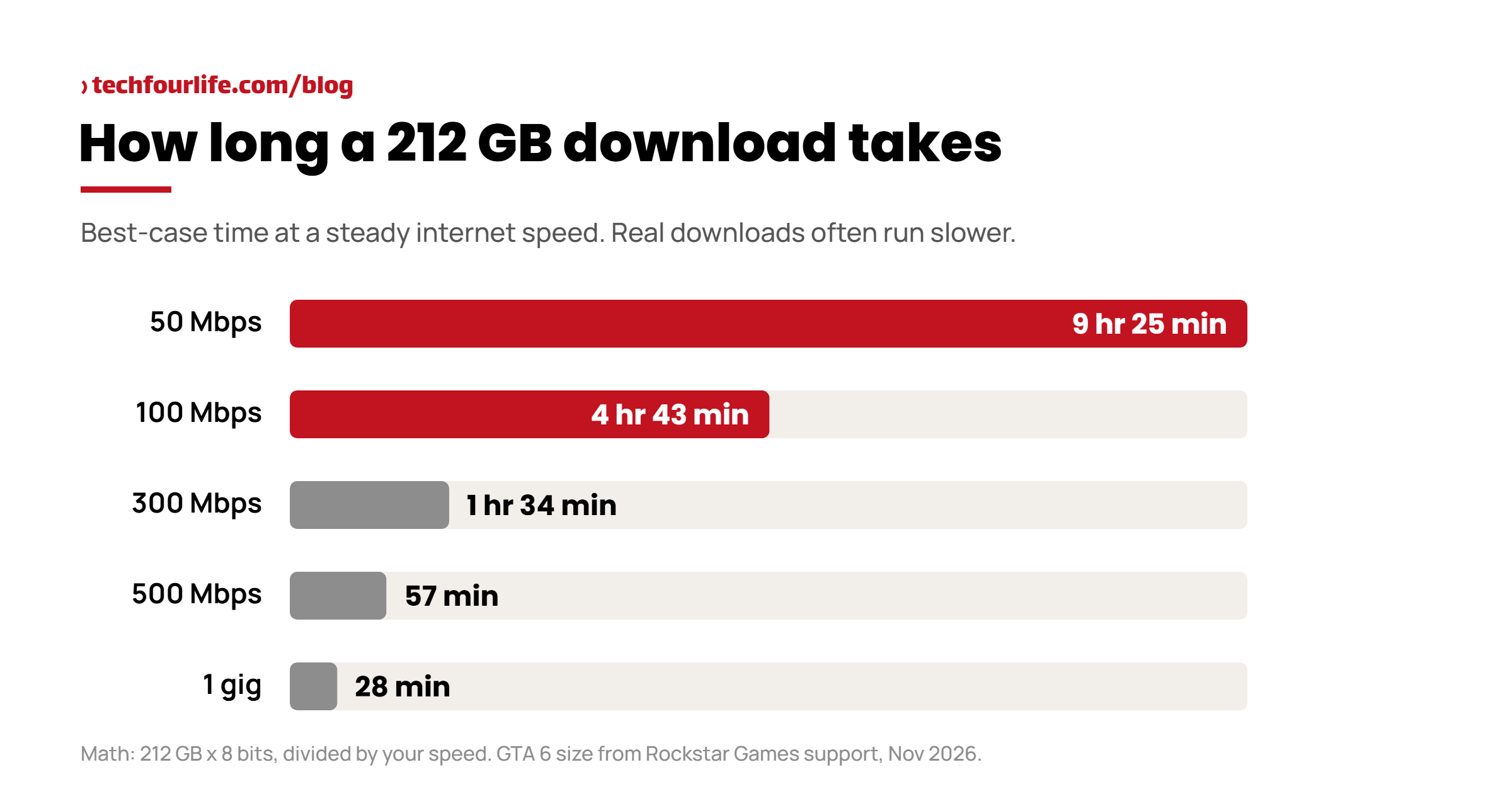
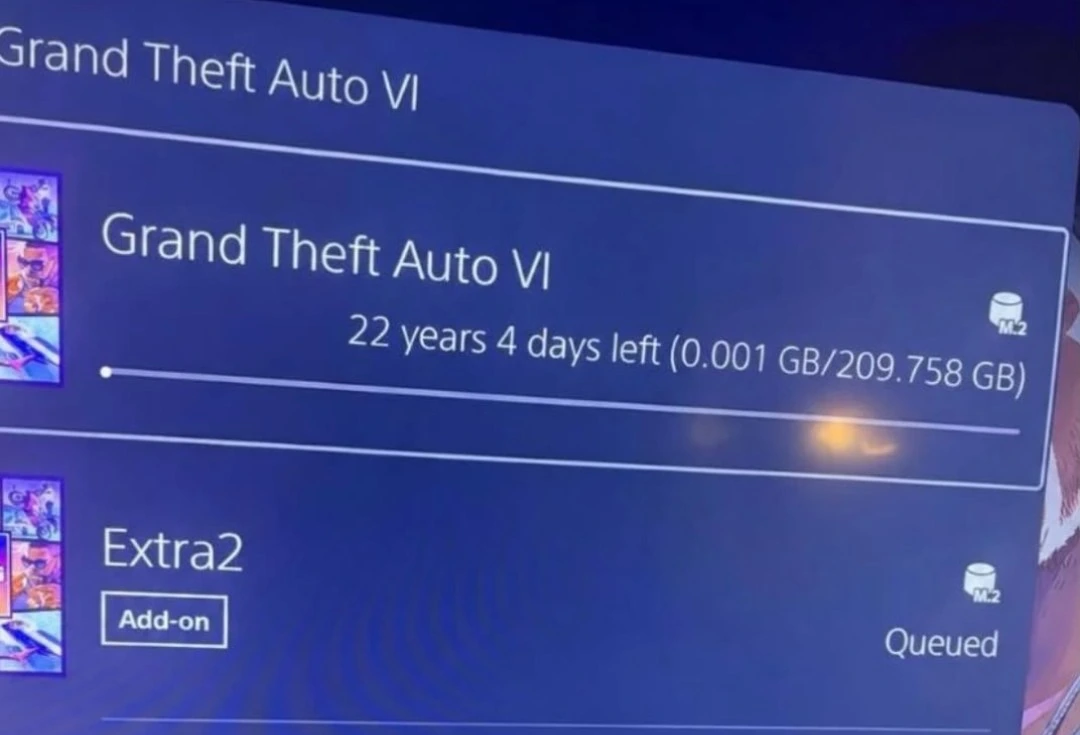
At a steady 100 Mbps, a 212 GB download takes close to five hours, and slower plans take longer. Mbps, or megabits per second, is how internet speed is measured. The times below are best-case math for a full 212 GB.
| Internet speed | Best-case download time |
|---|---|
| 50 Mbps | About 9 hours and 25 minutes |
| 100 Mbps | About 4 hours and 43 minutes |
| 300 Mbps | About 1 hour and 34 minutes |
| 500 Mbps | About 57 minutes |
| 1,000 Mbps (1 gig) | About 28 minutes |
Real downloads often run slower. Weak Wi-Fi, other devices on the network and busy game servers during launch week can all stretch these times.
How do you make a GTA 6 download go faster?
Start the pre-load early, plug the console into your router with a cable and let it run overnight. These steps follow Rockstar’s pre-load guide plus what works on a home network.
- Pre-load now. Rockstar opened PS5 pre-loads at midnight local time on November 10. Xbox pre-loads opened at midnight GMT, which was 5 p.m. on November 9 here in Arizona.
- Turn on automatic downloads. Rockstar says a PS5 needs auto-downloads on and the console on or in Rest Mode. An Xbox needs automatic updates on and the console on or in Sleep mode.
- Use a network cable if you can. If the console sits near the router, a cable usually gives a faster, steadier connection than Wi-Fi.
- Pause other big downloads and streaming. Streaming TV, computer backups and phone updates all share the same connection.
- Test the speed by the TV. Run a speed test on your phone next to the console, then compare it with your plan.
If the speed is fine by the router but drops by the TV, the issue is Wi-Fi coverage. Our network design page explains how we plan coverage for a whole house.
How do you keep a PS5 from overheating during long games?
Give a PS5 at least 10 cm of open space on each side, and vacuum dust from the vents. Sony’s support page puts it plainly. “Make sure there is at least 10cm of free space around each side of the console.” That’s about 4 inches.
Sony also says to keep it off rugs with long fibers and out of narrow, cramped spaces. To clean it, unplug the power cable first. Then use a low-powered vacuum on the vents. A loud fan during a big game is often normal, since the fan speeds up to cool the system.
| What you notice | What it may mean | What to try first |
|---|---|---|
| The fan gets loud during games | Normal cooling, or dust in the vents | Clear space around it and vacuum the vents |
| A “not enough storage” message | The drive is full | Delete or move games you’re not playing |
| The download crawls | Weak Wi-Fi or a busy connection | Use a network cable and pause other downloads |
| No picture on the TV | A loose cable or a damaged HDMI port | Try another HDMI cable and TV input |
| The console won’t turn on | A power or hardware problem | Check the power cable, then have it looked at |
Picture problems aren’t always the console. Our TV and AV support covers the TV side too.
What mistakes should you avoid before GTA 6 comes out?
Avoid fake GTA 6 downloads, the wrong storage drive and a console boxed in a cabinet.
- Downloading GTA 6 for a computer. Rockstar lists only PS5 and Xbox Series X and S. In September 2026, Huntress researchers found a fake GTA 6 installer full of malware. It stole passwords, and one program on it destroyed files. As Huntress put it, “Generally speaking, it’s not a good idea to attempt to download cracked, pirated software.” Our post on recognizing viruses covers the warning signs.
- Clicking links to a “leaked” copy. Huntress found the fake installer spread through search results, forums, social media and torrent sites. Our post on AI scams explains how they look real.
- Buying an M.2 drive without a heat sink. Sony says not to use one without a heat-dissipation part, like a heat sink.
- Hiding the console behind closed cabinet doors. Sony warns against narrow, cramped spaces, and a closed cabinet is one.
- Reusing an old password on your game account. A leaked password can open the account to strangers. Our post on creating a secure password has tips.
Who can help with console repair and Wi-Fi in Carefree and Cave Creek?
Tech 4 Life repairs PlayStation and Xbox consoles and sets up home Wi-Fi in Carefree, Cave Creek and Scottsdale. Our gaming console repair covers hardware, software and connection problems. For slow downloads around the house, our internet and Wi-Fi service covers design, installation and troubleshooting. Both are part of our home technology services, and we’ve served this area for over 20 years.
To have us take a look, call or text (480) 488-0773, or send us a message.
Frequently asked questions
Can you play GTA 6 on a PC, PS4 or Xbox One?
Not at launch. Rockstar lists only the PlayStation 5 and Xbox Series X and S, and so does the ESRB. Any website offering a PC download right now is fake. Older consoles like the PS4 and Xbox One aren’t on the list either. For a gift, pick a PS5 or an Xbox Series X or S.
What is GTA 6 rated?
The ESRB rated GTA 6 M for Mature 17+. Its content notes include intense violence, blood and gore, nudity and strong language. They also list strong sexual content and the use of drugs and alcohol. The game includes in-game purchases. If it’s a gift, the rating is worth a look before you buy.
Will GTA 6 work on a PS5 Digital Edition or Xbox Series S?
Yes, both are supported consoles. The catch is space. A PS5 Digital Edition has 825 GB built in, and an Xbox Series S may have only 512 GB. GTA 6 needs up to 212 GB. You may need to clear out older games or add storage first.
Is a loud PS5 fan a problem?
Usually not. Sony says a louder fan often just means it’s working harder to cool the console. Check that it has open space on every side and clean vents. If it shuts itself off, shows a heat warning or makes grinding noises, have it looked at soon.
Is Wi-Fi or a network cable better for gaming?
A network cable is usually faster and steadier when the console sits near the router. For a TV across the house, folks often do better with a mesh unit or wired access point nearby. That’s the kind of whole-home setup our network design work covers.
Sources
- Rockstar Games Support, “Grand Theft Auto VI installation requirements,” updated Nov 3, 2026.
- Rockstar Games Support, “Grand Theft Auto VI Pre-Load FAQ,” accessed Nov 10, 2026.
- Rockstar Games Newswire, “Grand Theft Auto VI is Now Set to Launch November 19, 2026,” accessed Nov 10, 2026.
- PlayStation, “PS5 console” storage specs, accessed Nov 10, 2026.
- PlayStation Support, “How to manage PS5 console storage space,” accessed Nov 10, 2026.
- PlayStation Support, “USB extended storage on PS5 consoles,” accessed Nov 10, 2026.
- PlayStation Support, “How to add an M.2 SSD to a PS5 console,” accessed Nov 10, 2026.
- PlayStation Support, “PS5 console is making noise,” accessed Nov 10, 2026.
- Xbox, “Xbox Series X” tech specs, accessed Nov 10, 2026.
- Xbox, “Xbox Series S” tech specs, accessed Nov 10, 2026.
- Xbox Wire, “A Primer on the Simple and Custom Storage Options Available for Xbox Series X and Xbox Series S at Launch,” Sep 24, 2020.
- ESRB, “Grand Theft Auto VI” rating, accessed Nov 10, 2026.
- Huntress, “Grand Theft Auto VI Hype Leads to Malware,” Sep 9, 2026.